Interactive Education Center

Learn How to Use
SecureVolumeFlow
in Real Trading

Discover how traders use SecureVolumeFlow tools on MT4, MT5, and TradingView — with a structured, visual, and simplified workflow.

Start Learning Start Free Trial
5 Products Covered
MT4 & MT5 + TradingView
100% Visual & Interactive
Scroll to explore

Select a Product to Explore

Click any card to open the full interactive guide for that product.
MT4 Indicator
Indicator

MT4 Indicator

Dynamic channel + breakout signals for MetaTrader 4

Explore
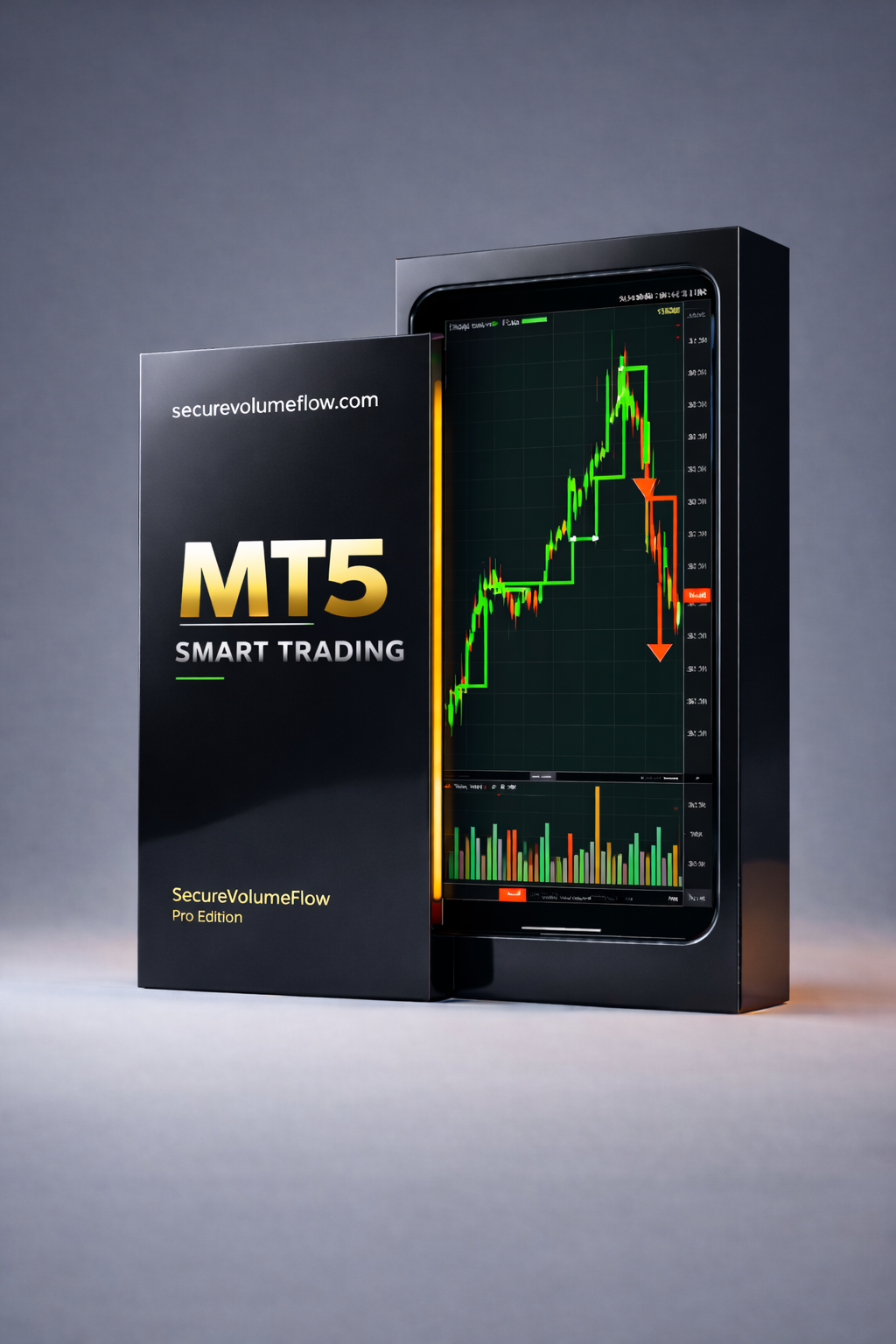
MT5 Indicator
Indicator

MT5 Indicator

Same powerful signals, built natively for MetaTrader 5

Explore
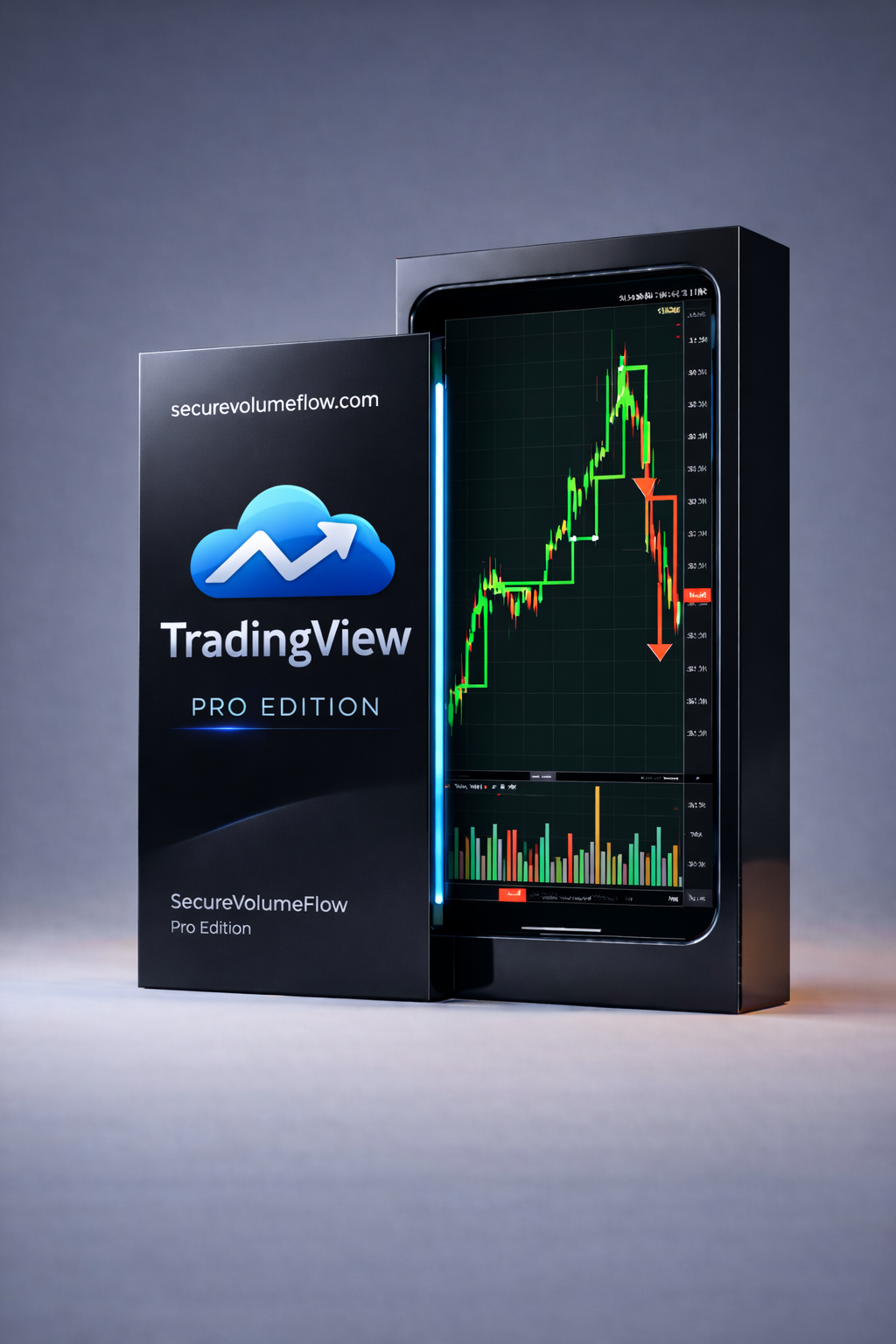
TradingView Indicator
Indicator

TradingView

Browser-based signal overlay for TradingView charts

Explore
MT4 Robot
Robot (EA)

MT4 Trading Robot

Fully automated trading execution for MetaTrader 4

Explore
MT5 Robot
Robot (EA)

MT5 Trading Robot

Full automation and risk management for MetaTrader 5

Explore
Volume Channel Flow
for MetaTrader 4

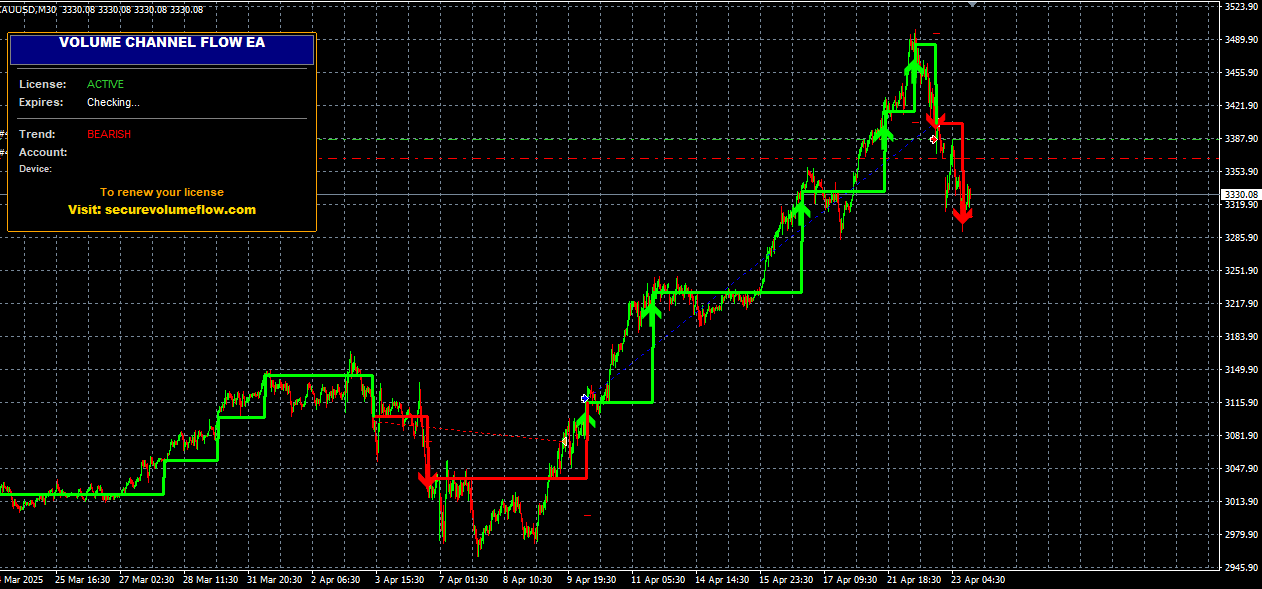
The VCF indicator draws a dynamic ATR-based channel directly on your MT4 chart. When price breaks out of the channel boundary, it fires a clear BUY ▲ or SELL ▼ signal and displays a live dashboard showing your current position and dynamic stop loss.

Dynamic ATR Channel BUY/SELL Breakout Arrows Live Dashboard Panel Trailing Stop Line Push / Popup / Email Alerts Multi-Timeframe
Get MT4 Indicator Free Trial
MT4 Dashboard

How It Works — Step by Step

01

ATR Channel Built

The indicator calculates a 200-bar Average True Range, then draws a channel: Center ± (ATR × Channel Width) around each candle's midpoint.

02

Breakout Detected

When a candle closes above the upper boundary → BUY signal. When it closes below the lower boundary → SELL signal.

03

Channel Resets

After each breakout the channel recenters around the new price, adapting dynamically to current volatility conditions.

04

Trailing SL Line

The opposite channel boundary serves as a dynamic trailing stop loss — it adjusts automatically as the market moves in your direction.

05

Dashboard Updates

The on-chart panel shows: Trend direction, Position (LONG/SHORT/FLAT), P&L from first signal, Entry price, SL price, and SL distance in points.

06

Alert Fired

On every new signal, your chosen alerts fire: popup message, sound, email, and/or push notification to your mobile device.

◆ securevolumeflow — Live Dashboard
TrendBULLISH ▲
PositionLONG
P/L (1st sig)+128.4 points
1st Entry1.09245
SL TypeTrailing
SL Price1.08910
SL Dist335.0 points

Recommended Settings

Start with these defaults. Adjust Channel Width to filter noise on higher timeframes.

Channel Width

10

ATR multiplier. Higher = wider channel, fewer but stronger signals. Lower = more frequent signals.

Timeframe

M30 (recommended)

Works on M15 to D1. H1/H4 gives cleaner, less frequent signals. Avoid M1/M5 (too much noise).

Dynamic SL

true

Enables the channel-based trailing stop loss. Highly recommended for managing open positions.

Alerts

Popup + Push

Enable popup and push notifications. Email alerts are also available for remote monitoring.

Important Risk Reminder

No trading tool guarantees profits. The SecureVolumeFlow indicator is an analytical tool designed to support your decision-making process — not replace it. Always use proper position sizing, risk management, and a stop loss. Past signal performance is not indicative of future results. Only trade with capital you can afford to lose.

Ready to Start Using SecureVolumeFlow on MT4?

Join traders using the dynamic channel system on MetaTrader 4.

Volume Channel Flow
for MetaTrader 5

The MT5 version runs the exact same ATR channel logic as MT4, rebuilt natively for the MetaTrader 5 environment. It supports all MT5 instruments — Forex, Commodities, Indices, Crypto — with the same clean signal quality and live dashboard.

Native MT5 Code All MT5 Instruments ATR Dynamic Channel BUY/SELL Arrows Live P&L Dashboard Trailing SL Line
Get MT5 Indicator Free Trial
MT5 Dashboard

How It Works — MT5

01

Same Channel Logic

200-bar ATR × Channel Width builds the dynamic envelope around price. Identical calculation to the MT4 version.

02

Breakout Signals

Close above the upper band = BUY arrow. Close below lower band = SELL arrow. Signals are plotted on your MT5 chart automatically.

03

Dashboard on Chart

The same on-chart panel appears: Trend, Position, P/L, Entry, SL Price, SL Distance — all updating live on every tick.

04

Dynamic Trailing SL

The opposite channel boundary acts as a live trailing stop, drawn as a dashed line on the chart and labeled with the SL distance in points.

◆ securevolumeflow — MT5 Dashboard
TrendBEARISH ▼
PositionSHORT
P/L (1st sig)+92.0 points
1st Entry1.08100
SL TypeTrailing
SL Price1.08440
SL Dist340.0 points

Recommended Settings

Same parameter logic as MT4. Adjust per your trading style and instrument.

Channel Width

10

Default value works well across Forex, Indices, and Commodities. Increase for less volatile assets.

Timeframe

H1 (recommended for MT5)

MT5 supports all timeframes. H1 provides a good balance of signal frequency and quality.

Show Channel

true

Keep the channel visible to understand why signals fire. Turn off for a cleaner look once familiar.

Alert Push

true

Enable push notifications to MT5 mobile app so you never miss a breakout signal.

Important Risk Reminder

No trading tool guarantees profits. The SecureVolumeFlow indicator is an analytical tool designed to support your decision-making process — not replace it. Always use proper position sizing, risk management, and a stop loss. Past signal performance is not indicative of future results.

Ready to Use VCF on MetaTrader 5?

Access the full MT5 indicator with all signals, dashboard, and alerts.

Volume Channel Flow
for TradingView

The TradingView version brings the same dynamic channel and breakout signals to your browser. Works on any device, with any broker, directly from the TradingView platform — no installation required beyond adding the script.

Browser-Based No MT4/MT5 Required All TradingView Assets Dynamic Channel Visual Signal Alerts Works on Mobile
Get TradingView Indicator Free Trial
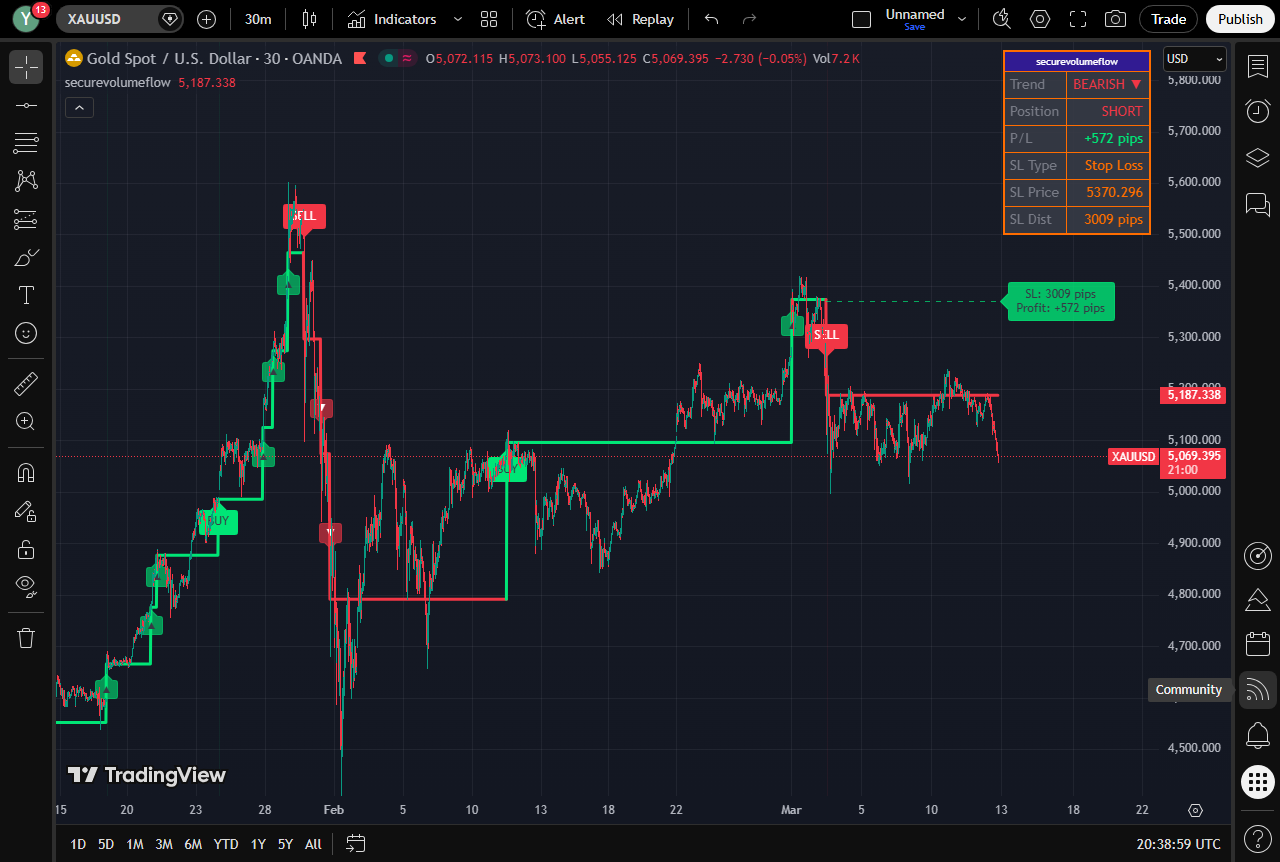
TradingView Dashboard

How It Works — TradingView

01

Add the Script

After purchase, add the VCF Pine Script indicator to your TradingView chart from the Indicators menu. Your license is validated on first use.

02

Channel Appears

The dynamic ATR channel is drawn on your chart in real time — upper boundary (resistance) and lower boundary (support) adapt to current volatility.

03

Signal on Breakout

Arrow markers appear at each confirmed breakout candle. Green arrow = BUY zone. Red arrow = SELL zone. Use with TradingView's built-in alert system.

04

Alerts Everywhere

Set TradingView alerts on the signal conditions. Receive notifications on desktop, browser, or the TradingView mobile app.

Recommended Settings

Configure directly in TradingView's indicator settings panel.

Channel Width

10

Same ATR multiplier as MT4/MT5. Adjust based on how active the market you're trading is.

Timeframe

1H / 4H

TradingView makes multi-timeframe analysis easy. Use H1 for entries, H4 for trend direction.

Alerts

Set on signal condition

Use TradingView's "Create Alert" on the indicator's signal condition for real-time notifications.

Colors

Green / Red

Bullish channel is green, bearish is red. Easily customizable in the indicator's visual settings.

Important Risk Reminder

No trading tool guarantees profits. The SecureVolumeFlow TradingView indicator is an analytical tool designed to assist your chart analysis — not replace disciplined risk management. Always trade with proper position sizes and a defined stop loss.

Start Using VCF on TradingView Today

Access the indicator on any browser, any device, any market.

Volume Channel Flow EA
Automated Trading for MT4

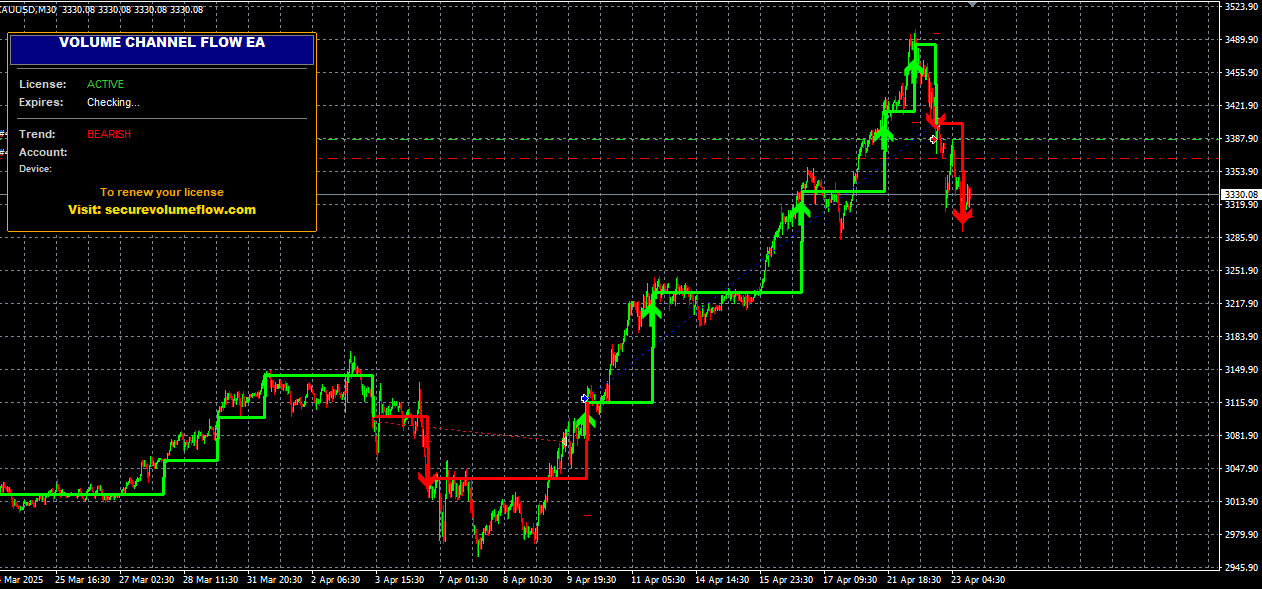
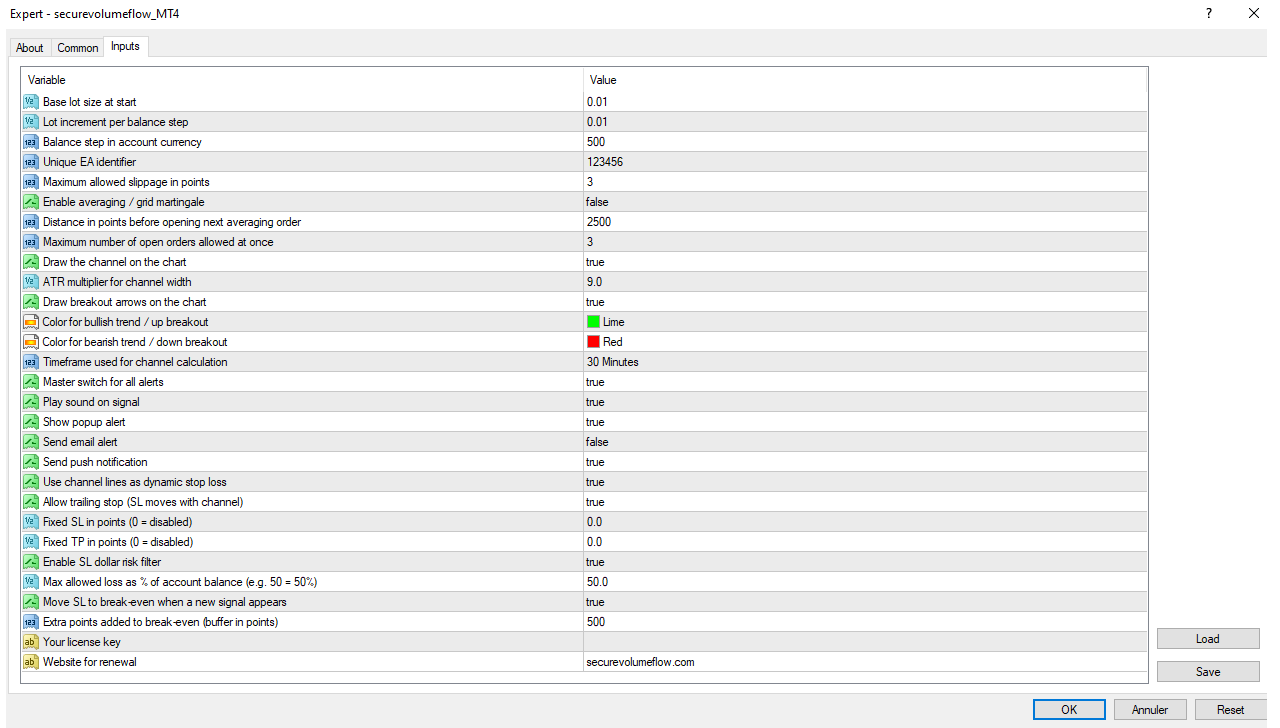
The VCF EA automates the entire trading cycle on MetaTrader 4. It detects the same channel breakouts as the indicator and automatically opens, manages, and protects positions — including trailing stop loss, break-even, and a built-in dollar risk filter.

Auto-Trade on Breakout Dynamic Lot Sizing Trailing SL from Channel Break-Even Protection Dollar Risk Filter Optional Averaging
Get MT4 Robot Free Trial
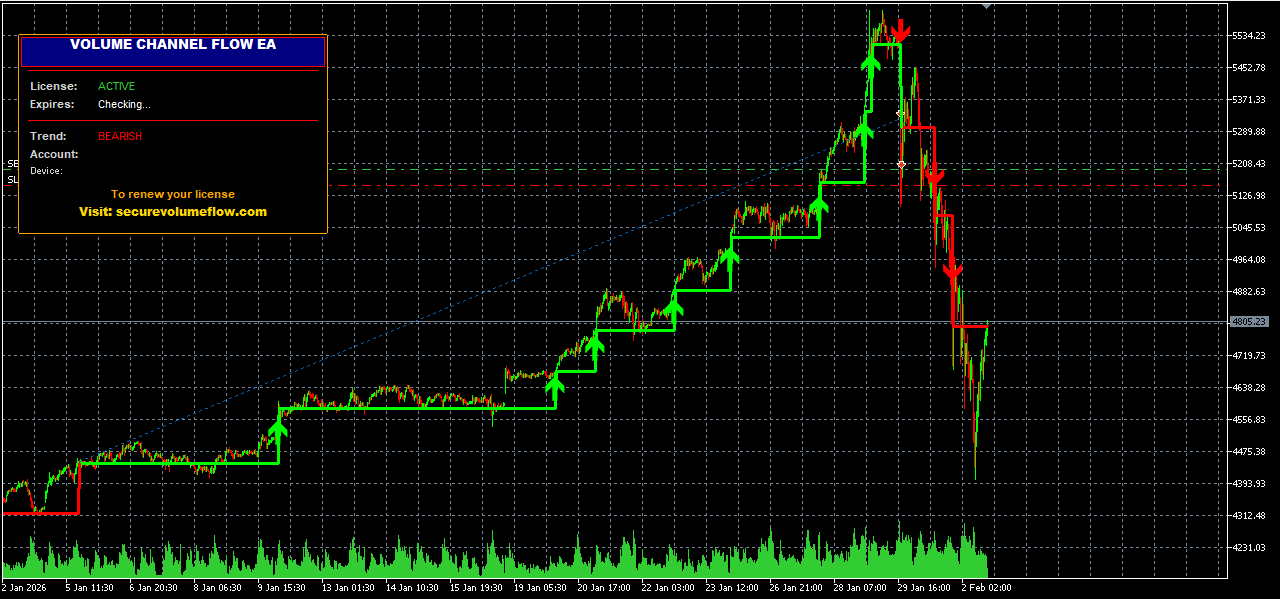
MT4 Robot Dashboard

How the Robot Works

01

Same Channel Analysis

The robot uses the identical ATR channel calculation as the indicator. The visual channel appears on your chart exactly as with the manual indicator.

02

Auto-Opens Trade

On a BUY breakout → the EA instantly opens a BUY market order. On a SELL breakout → it closes any open BUY and opens a SELL. No manual action needed.

03

Dynamic Lot Sizing

Lot size auto-scales with your account balance: Base Lot + (Balance ÷ Balance Step) × Increment. Grows proportionally as your account grows.

04

Channel Trailing SL

The stop loss is set at the opposite channel boundary and trails automatically on every tick — protecting profit as the market moves in your direction.

05

Break-Even Logic

When a new opposite signal fires, the EA moves the open trade's SL to break-even (entry + buffer points), locking in protection before reversing.

06

Dollar Risk Filter

If the calculated SL distance would risk more than MaxRiskPercent% of your account balance, the trade is blocked and you're alerted. No oversized positions.

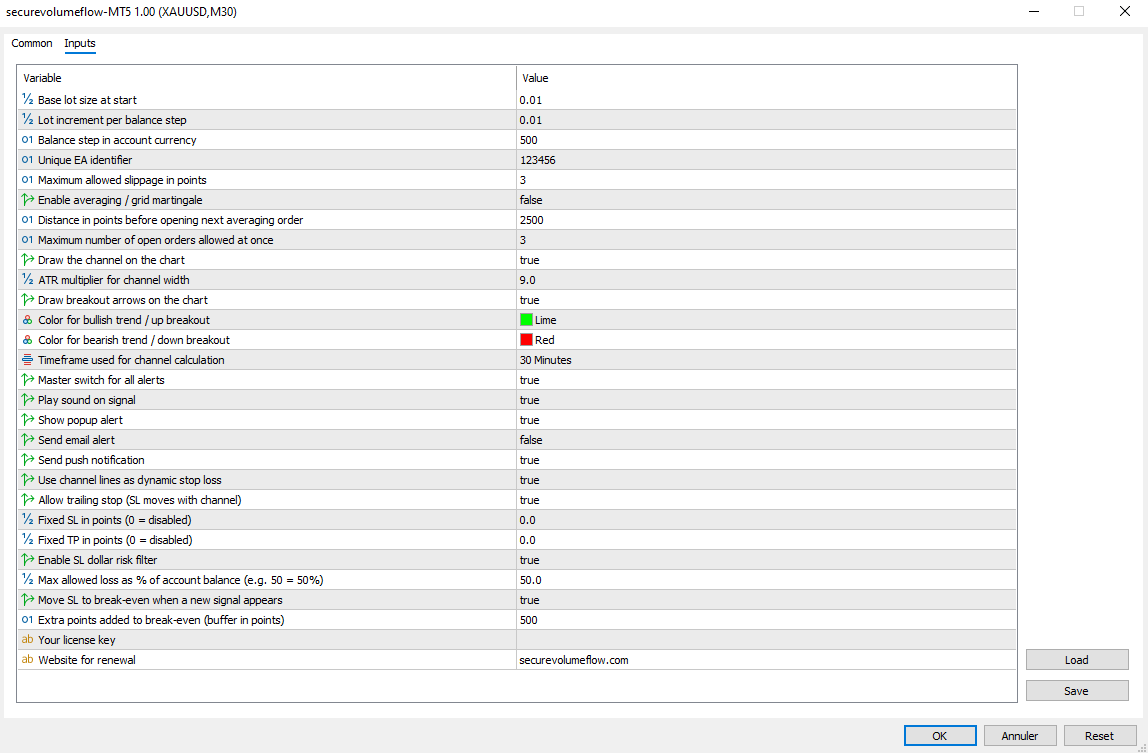
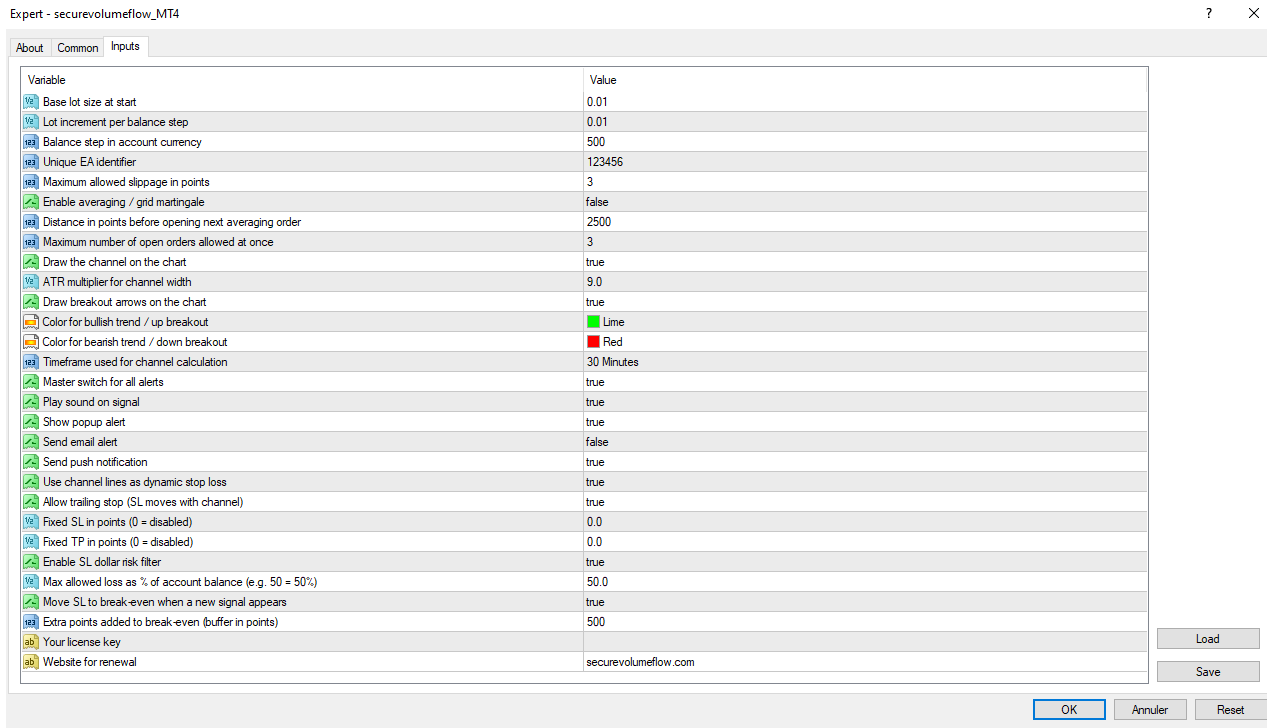
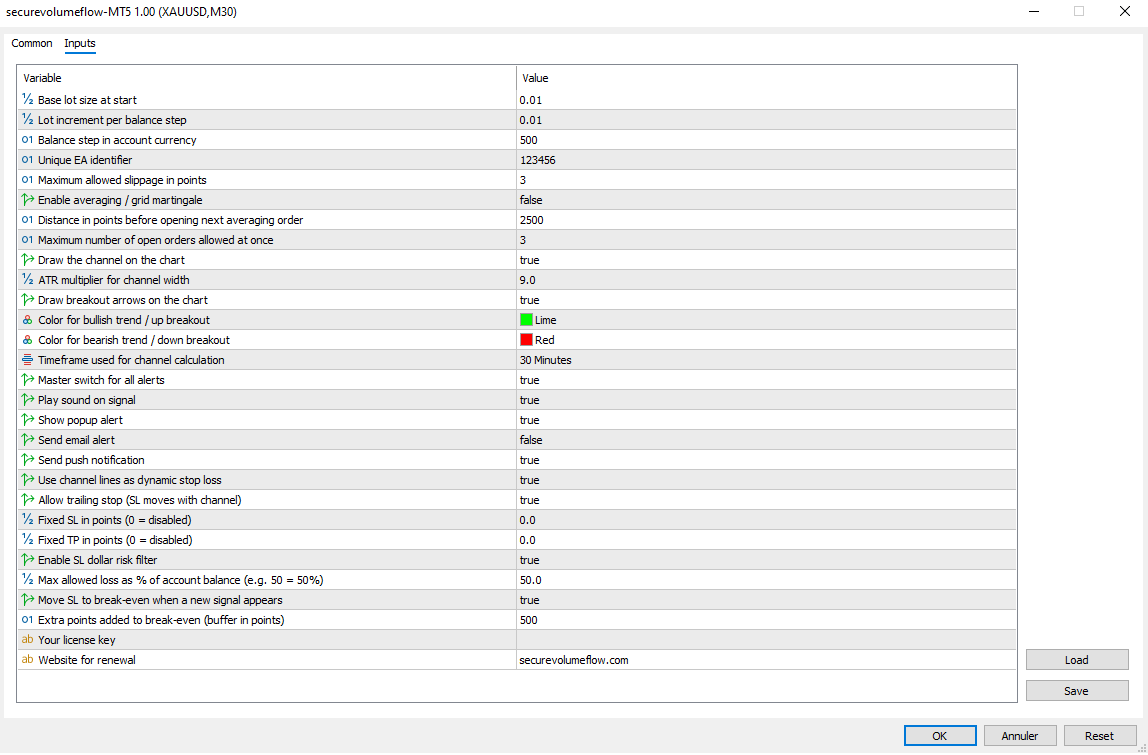
Key Robot Parameters

Start conservatively. The robot is designed for long-term capital preservation.

Start Lot Size

0.01

Base lot at strategy start. Scales automatically with balance increments via Lot Increment parameter.

Max Risk Percent

50%

Maximum allowed risk per trade as % of balance. Trade is blocked if SL distance would exceed this threshold.

Break-Even on Signal

true

Moves SL to entry + 50 points when a new opposite signal fires. Protects from reversals eating into your position.

Enable Strengthening

false (recommended)

Position averaging/martingale. Keep disabled until you fully understand the risk profile. Not recommended for beginners.

Channel Width

10

Same as the indicator. Use the same value as your indicator to ensure identical signal timing.

Timeframe

H1 / H4 (conservative)

Higher timeframes = fewer trades but higher quality signals. Recommended for automated trading.

Automated Trading Risk Reminder

Automated trading robots do not guarantee profits and carry significant risk. The VCF EA is a tool — not a guarantee. Always run it on a demo account first. Monitor it regularly. Never deposit funds you cannot afford to lose. Automated systems can and do produce losses. The dollar risk filter helps but does not eliminate risk. Past backtest or live results are not indicative of future performance.

Ready to Automate Your MT4 Trading?

Let the VCF robot handle execution while you focus on risk management.

Volume Channel Flow EA
Automated Trading for MT5

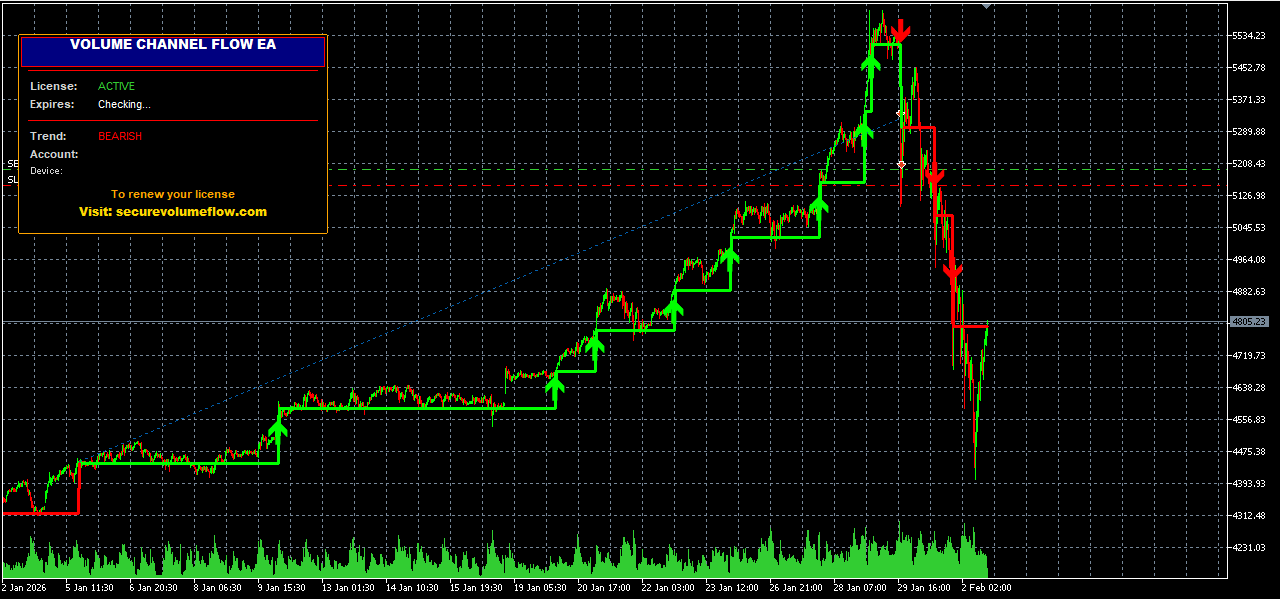
The MT5 version of the VCF EA brings the same full automation to MetaTrader 5 — covering Forex, Stocks, Futures, Crypto, and Indices. Same logic, same risk controls, rebuilt natively in MQL5 for optimal MT5 performance.

Native MQL5 Code All MT5 Markets Auto-Trade Breakouts Trailing SL Break-Even Logic Dollar Risk Filter
Get MT5 Robot Free Trial
MT5 Robot Dashboard

How the MT5 Robot Works

01

MT5 Channel Engine

The same ATR-based channel is computed using MT5's native MQL5 functions — ensuring accurate and efficient calculation across all MT5 instruments.

02

Trade Execution

MT5 uses a different order management system (CTrade / position-based). The EA handles BUY/SELL orders natively with correct MT5 position logic.

03

Full Risk Controls

Same risk management as MT4 version: trailing SL, break-even on signal, dollar risk filter, and optional position averaging (keep disabled by default).

04

All Asset Classes

MT5 supports Forex, Stocks, Indices, Commodities, and Crypto in the same terminal. The VCF EA works across all these markets.

Key Parameters for MT5 Robot

Identical parameter set to the MT4 robot. Tune per instrument and risk tolerance.

Start Lot Size

0.01

Start small, especially on a live account. Monitor for at least 2 weeks on a demo first.

Max Risk Percent

50%

Blocks any trade that would risk more than this % of your balance via stop loss distance. A critical safety parameter.

Break-Even

true (+50 pts buffer)

Moves SL to entry + buffer on every new signal, ensuring you don't give back all profit on a sudden reversal.

Channel Width

10 (default)

Keep consistent with what you tested. Changing mid-session will recalculate the entire channel history.

Automated Trading Risk Reminder

Automated trading robots do not guarantee profits and carry significant risk. Always test on a demo account first. Never risk capital you cannot afford to lose. The VCF EA includes risk filters but they do not eliminate the possibility of loss. Monitor your EA regularly. Past performance is not indicative of future results.

Ready to Automate Your MT5 Trading?

Full automated execution with built-in risk management on MetaTrader 5.